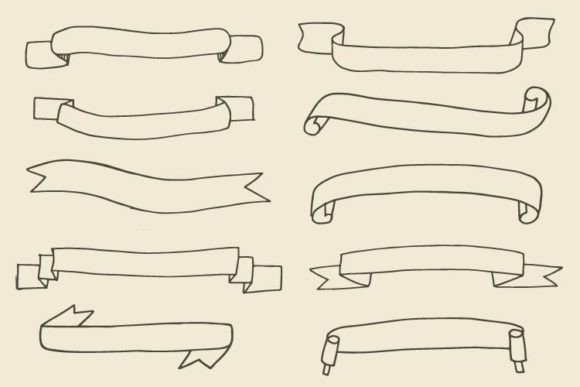
Enhance Designs with a Ribbons Collection
Visual appeal is often the deciding factor in whether a viewer engages with your content or scrolls past it. Whether you are designing a wedding invitation, creating a social media post for your small business, or laying out a professional report, the details matter. This is where a Ribbons Collection becomes an invaluable asset in your creative toolkit. These elements are not just decorative; they serve as visual anchors that guide the eye, highlight important information, and add a touch of elegance to any project.
A high-quality set of ribbon icons offers versatility that standalone images simply cannot match. When you invest in a comprehensive bundle, you are acquiring a flexible design system. For instance, receiving 10 PNG files at 300dpi ensures that your raster images remain crisp and clear, even when printed on high-resolution materials like business cards or brochures. The transparency inherent in PNG formats allows you to layer these ribbons over photos, patterns, or solid colors without worrying about unsightly white boxes around the edges.
Versatility Across Digital and Print Media
One of the most significant advantages of modern design assets is format diversity. A robust collection does not limit you to a single file type. By including 10 SVG files in both vertical and horizontal orientations, this collection caters to web designers and digital marketers who need scalable vector graphics. SVGs are ideal for websites because they remain sharp on any screen size, from mobile phones to large desktop monitors, while keeping file sizes small for faster loading times.
For professionals working in Adobe Illustrator or other vector-based software, having 1 Ai file with all designs and 3 EPS files is a game-changer. These formats allow you to edit the shapes, colors, and curves of the ribbons directly. You can customize a ribbon to match your brand’s exact hex code or adjust its curvature to fit around a specific logo. This level of control is essential for maintaining brand consistency across various marketing materials.
Additionally, the inclusion of 3 JPG files provides a quick-and-easy option for users who may not have advanced design software. These are perfect for rapid prototyping, email newsletters, or platforms that do not support transparent backgrounds. Having multiple formats ensures that whether you are a beginner using Canva or a seasoned graphic designer using Photoshop, you can integrate these elements seamlessly into your workflow.
Practical Applications for Business and Creativity
The utility of a Beautiful unique ribbons collection extends far beyond simple decoration. In a business context, ribbons are powerful tools for emphasis. Imagine you are launching a new product. Placing a "New Arrival" or "Best Seller" ribbon over a product photo instantly draws attention to the offer. This psychological cue helps potential customers identify key items quickly, potentially boosting conversion rates.
Educators and bloggers also find immense value in these assets. When creating worksheets, certificates, or educational infographics, ribbons can be used to frame titles or separate sections. This helps organize information visually, making complex topics easier to digest for students or readers. For example, a teacher might use a vertical ribbon to create a sidebar for key vocabulary words, while a blogger could use horizontal ribbons to break up long articles into readable chunks.
Freelancers and hobbyists will appreciate the time-saving aspect. Instead of spending hours drawing custom banners from scratch, you can drag and drop a pre-made element. This efficiency allows you to focus on the core message of your project rather than getting bogged down in minor graphical details. The variety of orientations means you can adapt the same design style to different layouts without losing coherence.
Why Quality and Format Matter
Not all design assets are created equal. When selecting a Ribbons Collection, resolution and flexibility are paramount. Low-resolution images can appear pixelated and unprofessional, which can damage the credibility of your brand. The 300dpi specification mentioned in this set is the industry standard for print quality, ensuring that your designs look polished whether they are viewed on a screen or held in hand.
Furthermore, the distinction between vertical and horizontal orientations in the SVG files addresses a common pain point for designers. Many free resources only offer one orientation, forcing users to rotate and distort images, which often results in awkward proportions. Having dedicated files for both orientations ensures that the ribbons maintain their intended aesthetic integrity, regardless of how you place them in your composition.
Getting Started with Your New Assets
If you are new to using design elements like these, start by experimenting with layering. Place a ribbon behind text to create a badge effect, or use it as a border for images in a collage. Pay attention to color contrast; a dark ribbon works best with light text, while a pastel ribbon might need a darker font to remain legible. Because you have access to editable AI and EPS files, do not hesitate to tweak the colors to suit your specific project needs.
Remember that subtlety is often key. While ribbons are eye-catching, overusing them can clutter your design. Use them strategically to highlight the most important elements of your page or document. By balancing these decorative icons with clean whitespace and strong typography, you create a professional and inviting visual experience.
Ultimately, a well-curated Ribbons Collection is more than just a set of images; it is a resource that empowers you to communicate more effectively. Whether you are marking a sale, celebrating an achievement, or simply organizing information, these tools provide the polish and professionalism that elevate good designs to great ones. With the right files in hand, you are equipped to tackle a wide range of creative challenges with confidence and ease.