Mastering Visual Impact: A Guide to High-Quality 3D Social Media Icons for Modern Design
In the rapidly evolving landscape of digital marketing and web design, first impressions are not just important—they are everything. As brands strive to stand out in crowded social feeds and sleek website footers, the humble social media icon has undergone a significant transformation. Gone are the days when flat, two-dimensional logos were sufficient. Today, designers and content creators are turning toward 3D social media icons to add depth, personality, and professionalism to their visual identity. This shift is not merely aesthetic; it represents a broader move toward immersive, high-quality digital experiences that capture user attention instantly.
The Evolution from Flat to Dimensional Design
To understand the significance of 3D icons, we must first look at where we came from. For years, "flat design" dominated the internet. It was clean, minimal, and fast-loading. However, as screen resolutions improved and user expectations grew, flat design began to feel sterile to some audiences. Enter the era of neumorphism and 3D rendering. These styles introduce shadows, lighting, and texture, making digital elements feel tangible.
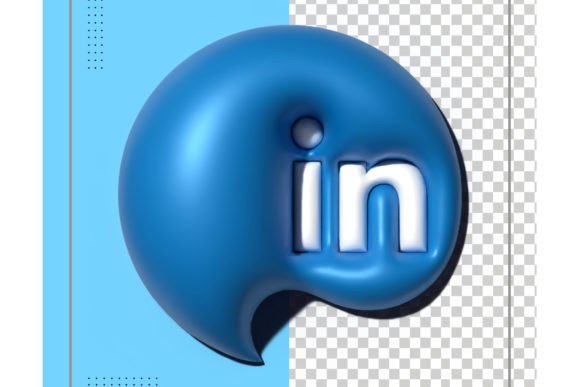
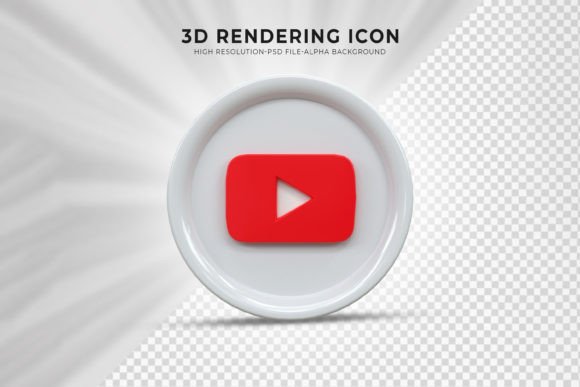
Using 3D social media icons allows creators to bridge the gap between the digital and physical worlds. When a user sees a glossy, rendered Instagram or LinkedIn logo that appears to pop off the screen, it triggers a psychological response of quality and care. It suggests that the brand behind the icon pays attention to detail. This is crucial for businesses, influencers, and educators who rely on trust and authority. By upgrading your visual assets, you are subtly communicating that your content is premium and worth engaging with.
Why Quality and Resolution Matter
One of the most common mistakes beginners make is using low-resolution images for their social links. In an age of 4K monitors and retina displays, pixelated icons can make a professional portfolio look amateurish. This is why the technical specifications of your design assets are critical. High-quality 3D rendering requires precise object resolution. For instance, professional-grade templates often offer resolutions up to 4500 x 3000 pixels with a print-ready 300 DPI (dots per inch).
Why does this matter? A high DPI ensures that whether your icon is displayed on a tiny mobile screen or printed on a large conference banner, it remains crisp and clear. Low-resolution images become blurry when scaled, destroying the illusion of depth that 3D design relies upon. By starting with a high-resolution base, you future-proof your designs, ensuring they look exceptional across all devices and mediums.
Simplifying the Workflow: The Power of Smart Objects
A major barrier to entry for many non-designers is the perceived complexity of editing 3D graphics. Traditionally, creating 3D renders required expensive software and hours of rendering time. However, modern design resources have democratized this process. The key lies in the use of Smart Object Replacement Layers.
For those unfamiliar with Photoshop terminology, a Smart Object is a container that holds image data without permanently altering it. In the context of 3D social media icon templates, this feature is a game-changer. Instead of manually adjusting lighting, shadows, and perspective every time you want to change a logo, you simply double-click the smart object layer. This opens a separate window where you can paste your new logo or adjust colors. Once you save and close that window, the main file updates automatically, applying all the complex 3D effects to your new image instantly.
- Efficiency: What used to take hours now takes seconds.
- Consistency: Ensures all your icons share the same lighting and style.
- Accessibility: Makes professional-grade design accessible to beginners.
This ease of use means that you do not need to be a 3D modeling expert to achieve stunning results. With just a few clicks, you can generate a cohesive set of icons that look like they were custom-rendered by a professional studio. This is particularly valuable for small business owners and freelance designers who need to deliver high-quality work under tight deadlines.
Customization and Creative Freedom
While templates provide a strong foundation, creativity thrives on customization. A rigid template that cannot be adapted to your brand’s color palette is of limited use. Fortunately, high-quality PSD (Photoshop Document) files are designed with flexibility in mind. All colors in these templates can be changed easily, allowing you to match your specific brand guidelines.
Imagine you are launching a tech startup with a neon-cyan and dark-gray color scheme. You can download a standard 3D icon pack and, within minutes, adjust the hue and saturation layers to match your brand exactly. This level of control ensures that your social media presence feels integrated and intentional, rather than disjointed. Furthermore, because the files are organized, finding the right layer to edit is straightforward. Well-structured files reduce frustration and allow you to focus on the creative aspect of design rather than hunting through hundreds of unnamed layers.
Practical Applications in Modern Digital Life
Understanding the technical side is important, but knowing where to apply these assets is equally vital. 3D social media icons are versatile tools that fit into various aspects of modern digital life:
- Website Footers and Headers: Add a touch of sophistication to your site’s navigation areas.
- Email Signatures: Stand out in professional correspondence with visually appealing links.
- Presentation Decks: Enhance pitch decks and educational slides with eye-catching graphics.
- Social Media Banners: Create cohesive cover images for LinkedIn, Twitter, or Facebook.
- Digital Portfolios: Showcase your work with a modern, trendy aesthetic that appeals to clients.
It is important to note that while the templates include high-quality renders, any specific lifestyle images or background scenes used in preview presentations are often examples only. This is a standard practice in digital asset marketplaces to protect copyright. Users should focus on the icon itself and integrate it into their own unique backgrounds or layouts. This approach encourages originality and prevents your design from looking identical to thousands of others who downloaded the same template.
Building a Broader Design Understanding
Adopting 3D icons is more than just following a trend; it is about understanding the language of visual communication. In a world where users scroll through hundreds of posts daily, visual friction—the effort required to process an image—must be minimized, while visual interest must be maximized. 3D elements achieve this balance by providing familiar shapes (like the Facebook "f" or the Twitter bird) with novel textures and depths.
Moreover, using well-organized, high-quality templates teaches good design hygiene. It encourages users to think about resolution, layer management, and color theory. Even if you start by simply swapping logos, you gradually learn how light interacts with surfaces and how color affects mood. This knowledge is transferable, helping you become a more competent designer overall.
Conclusion: Elevate Your Digital Presence
The transition to 3D social media icons represents a small but impactful upgrade for any digital creator. By leveraging high-resolution assets with smart object capabilities, you can produce professional-grade visuals without the steep learning curve of 3D modeling software. The combination of ease of use, high-quality rendering, and complete customizability makes these templates an invaluable resource.
Remember, the goal is not just to have pretty icons, but to create a seamless and engaging user experience. Whether you are a seasoned designer looking to speed up your workflow or a beginner aiming to polish your personal brand, these tools provide the perfect starting point. Thanks for downloading and exploring these resources. As you experiment with different styles and colors, you may find that this is just the beginning of your journey into deeper, more immersive design. Be sure to explore other works and templates available, as you might find additional assets that complement your new 3D icon set perfectly. Happy designing!